Some people drop subtle hints. Others send a link to a list full of German candy.
We support both. But we’ve made the second option a little easier. 😉
Meet My Sweet Favorites: your place to save the treats you love, organize your sweet wishes and share a little inspiration with someone who would love to surprise you.
A list for every sweet occasion
Your everyday favorites. Birthday wishes. A few treats for the next family get-together. Or simply that one candy you don’t want to forget.
When you’re signed in and save an item, you can choose an existing list or create a new one. Add a note to remember why it caught your eye, and move items between lists whenever your plans change. Your notes move with them.
A little inspiration from our shelves
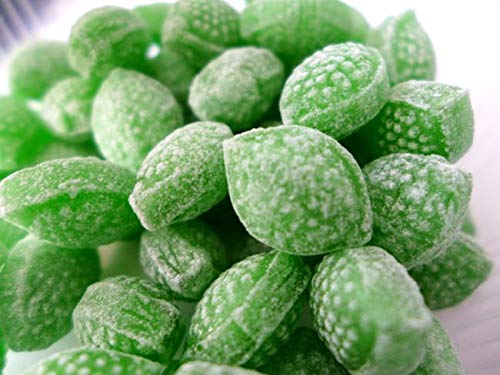
A little fizzy sweetness for your favorites.

A special wish for a school celebration. Delivered empty, ready to fill.
Sharing is caring. Sometimes it’s also hinting.
Once your list is ready, copy its sharing link and send it to family or friends. They can browse your wishes, choose something you love and order it as a gift for you.
It’s a handy answer to “What would you like?” And a perfectly acceptable way to say, “Just in case you were wondering…” 🍬

Someone bought this for you 🎁
When someone shops through your shared list and marks an item as a gift for you, a little notification can appear beside that item after the order has been paid:
You can still order this item.
The notification doesn’t reveal who bought it or show their order details. It’s a small heads-up that a sweet surprise is on its way.
Your item stays on your list, your own notes stay in place, and you can still order it yourself. Want to clear the hint? Simply dismiss it with the ×. If someone later buys you another gift, a new notification can appear.
A few words make it even sweeter
Buying a gift from someone’s list? Look for the gift option for that item, and add a personal message in the Gift Note field at checkout. Your message will be included on the recipient’s packing slip.
A birthday wish, a little thank-you or a cheerful “Thinking of you” can turn a box of treats into something personal. If you want the sender to remain a surprise, leave your name out of the gift note too.

One small thing to remember: check the delivery address at checkout. Sharing a favorites list does not automatically change the shipping address to the list owner’s address.

Ready to collect your sweet wishes?
Sign in, open your Favorites and start a list.
Then send someone a very subtle hint. 🍭